
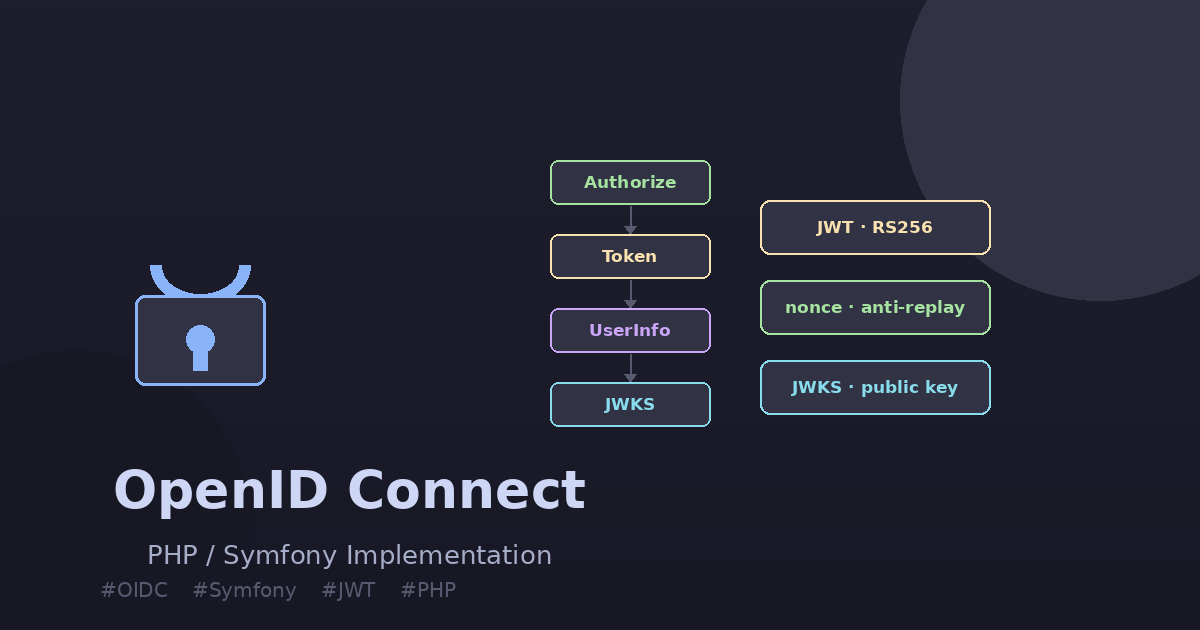
This is Part 2 of a series on adding OpenID Connect to an existing OAuth2 server. Part 1 covered the concepts: the Authorization Code Flow, the ID Token, the Nonce, and the five OIDC endpoints. This article delivers the concrete PHP/Symfony implementation, code included.
When I promised a follow-up with “the technical details of the implementation in PHP,” I had no idea how interesting the journey would become. Implementing OIDC on top of an existing OAuth2 server forces you to understand both protocols at a deep level — the kind of understanding that reading specs alone never gives you.
The full demo project is open-source on GitHub: github.com/oumarkonate/openidconnect — Symfony 7.4, PHP 8.2, SQLite, no external OAuth2 library.
Why a Custom OAuth2 Implementation?
The natural choice for PHP/Symfony OAuth2 is FOSOAuthServerBundle. It is battle-tested, well-documented, and widely used. So why did I build a custom implementation for this demo?
A hard compatibility wall. FOSOAuthServerBundle 2.x relies on AuthenticationProviderInterface, which was removed in Symfony 6.0. The bundle officially supports Symfony up to 5.x. For a Symfony 7 project, you either stay on an unmaintained bundle with an end-of-life Symfony version, or you replace the bundle.
This constraint exists in production too, not just in demos. Any team running Symfony 6+ that wants OAuth2 has to choose between league/oauth2-server, trikoder/oauth2-bundle, or a custom implementation.
A pedagogical benefit. FOSOAuthServerBundle abstracts away everything. You configure YAML and the bundle handles grant types, token generation, and endpoint routing. That abstraction hides exactly what OIDC needs you to understand: how an authorization code becomes a token, where you intercept to add the ID Token, and how the nonce travels from the authorization request to the JWT.
Building it yourself makes those seams visible. That is what this article is about.
Architecture Overview
The project is a minimal Symfony 7.4 application with:
- 5 controllers — one per OIDC endpoint
- 4 entities — Client, AuthCode, AccessToken, AuthNonce
- 2 services — JwtService (signs ID Tokens), JwtKeyManagerService (RSA key management)
- 1 custom authenticator — Bearer token validation for the UserInfo endpoint
- SQLite — zero infrastructure, runs anywhere PHP runs
- In-memory users — alice and bob defined in security.yaml, no database needed for identity
The OIDC Authorization Code Flow, end-to-end, looks like this:
Step 1 — The Nonce: Binding the Request to the Token
The nonce is the only OIDC-specific parameter that travels through both phases of the Authorization Code Flow. It is generated by the client before the authorization request, stored server-side during authorization, and embedded in the ID Token during token exchange. A client that receives an ID Token with a nonce different from the one it sent knows something is wrong.
To persist the nonce between the two HTTP requests (authorization → token), we store it next to the authorization code in a dedicated table:
// src/Entity/AuthNonce.php
#[ORM\Entity(repositoryClass: AuthNonceRepository::class)]
#[ORM\Table(name: 'auth_nonce')]
class AuthNonce
{
    #[ORM\Id]
    #[ORM\GeneratedValue]
    #[ORM\Column]
    private int $id;

    #[ORM\Column(length: 128)]
    private string $code;   // the authorization code

    #[ORM\Column(length: 500)]
    private string $nonce;  // the nonce from the client

    #[ORM\Column]
    private \DateTimeImmutable $createdAt;

    public function __construct(string $code, string $nonce)
    {
        $this->code      = $code;
        $this->nonce     = $nonce;
        $this->createdAt = new \DateTimeImmutable();
    }
}
In AuthorizeController, after validating the client and the redirect URI, the user sees a consent form. When they click Allow, we generate a random authorization code, save it, and — if a nonce was provided — save the nonce alongside it:
// src/Controller/AuthorizeController.php — issueCode()
private function issueCode($client, string $redirectUri, string $scope, string $state, ?string $nonce): Response
{
    $code      = bin2hex(random_bytes(32));
    $expiresAt = new \DateTimeImmutable('+60 seconds');

    $authCode = new AuthCode($code, $client, $this->getUser()->getUserIdentifier(), $redirectUri, $scope, $expiresAt);
    $this->em->persist($authCode);

    if ($nonce !== null && $nonce !== '') {
        $authNonce = new AuthNonce($code, $nonce);
        $this->em->persist($authNonce);
    }

    $this->em->flush();

    $params = ['code' => $code];
    if ($state !== '') {
        $params['state'] = $state;
    }

    return $this->redirect($redirectUri . '?' . http_build_query($params));
}
The nonce is deleted from the database after it is used in the token endpoint (one-time use). This prevents replay attacks: a second attempt to exchange the same code will find no nonce and no valid authorization code.
Step 2 — RSA Key Management
OIDC ID Tokens are signed with RS256 (RSA + SHA-256). This means the server signs with its private key, and any client can verify the signature using the corresponding public key published on the JWKS endpoint.
Generate a 2048-bit RSA key pair once per environment:
openssl genrsa -out config/keys/private.pem 2048
openssl rsa -in config/keys/private.pem -pubout -out config/keys/public.pem
Both files are listed in .gitignore — never commit private keys to version control, not even for dev.
JwtKeyManagerService wraps the filesystem reads and, crucially, computes the JWKS representation of the public key:
// src/Infrastructure/Jwt/JwtKeyManagerService.php
class JwtKeyManagerService
{
    public function __construct(
        private readonly string $privateKeyPath,
        private readonly string $publicKeyPath,
        private readonly string $keyId,
    ) {}

    public function getPrivateKey(): string { return file_get_contents($this->privateKeyPath); }
    public function getPublicKey(): string  { return file_get_contents($this->publicKeyPath); }
    public function getKid(): string        { return $this->keyId; }

    public function getJwksKey(): array
    {
        $keyResource = openssl_pkey_get_public($this->getPublicKey());
        $keyDetails  = openssl_pkey_get_details($keyResource);

        return [
            'kty' => 'RSA',
            'alg' => 'RS256',
            'use' => 'sig',
            'kid' => $this->getKid(),
            'n'   => rtrim(strtr(base64_encode($keyDetails['rsa']['n']), '+/', '-_'), '='),
            'e'   => rtrim(strtr(base64_encode($keyDetails['rsa']['e']), '+/', '-_'), '='),
        ];
    }
}
The n and e values are the RSA public key components (modulus and exponent), base64url-encoded as required by RFC 7517. Any OIDC client can use them to reconstruct the public key and verify the JWT signature without calling your server again.
Configure the paths in .env:
JWT_PRIVATE_KEY_PATH=%kernel.project_dir%/config/keys/private.pem
JWT_PUBLIC_KEY_PATH=%kernel.project_dir%/config/keys/public.pem
JWT_KEY_ID=dev-key-001
ID_TOKEN_TTL=3600
OAUTH_ISSUER=http://localhost:8000
Step 3 — Generating the ID Token (JWT)
This is the heart of the OIDC extension. The JwtService builds the payload with the mandatory OIDC claims and calls firebase/php-jwt to sign it:
// src/Infrastructure/Jwt/JwtService.php
class JwtService
{
    public function __construct(
        private readonly JwtKeyManagerService $keyManager,
        private readonly string $issuer,
        private readonly int $idTokenTtl,
    ) {}

    public function generateIdToken(
        string $subject,
        string $audience,
        array $userClaims,
        ?string $nonce = null,
    ): string {
        $now = time();

        $payload = array_merge($userClaims, [
            'iss' => $this->issuer,
            'sub' => $subject,
            'aud' => $audience,
            'iat' => $now,
            'exp' => $now + $this->idTokenTtl,
        ]);

        if ($nonce !== null) {
            $payload['nonce'] = $nonce;
        }

        return JWT::encode(
            $payload,
            $this->keyManager->getPrivateKey(),
            'RS256',
            $this->keyManager->getKid(),
        );
    }
}
The userClaims array carries the profile claims (name, email, etc.) from UserInformationManager. They are merged before the standard OIDC claims so that nothing in userClaims can accidentally override iss, sub, or aud.
The standard OIDC claims in the ID Token:
| Claim | Description | Example |
|---|---|---|
iss |
Issuer — the authorization server URL | https://auth.example.com |
sub |
Subject — stable user identifier | alice |
aud |
Audience — the client_id of the relying party | my-app |
iat |
Issued at (Unix timestamp) | 1715872800 |
exp |
Expiration (Unix timestamp) | iat + 3600 |
nonce |
Anti-replay, echoed from the authorization request | abc123xyz |
Step 4 — Extending the Token Endpoint
The token endpoint does everything: validates the client credentials, finds the authorization code, checks the redirect URI, generates an access token, retrieves the nonce, generates the ID Token, and cleans up.
// src/Controller/TokenController.php — token()
public function token(Request $request): JsonResponse
{
    $grantType    = $request->request->get('grant_type');
    $code         = $request->request->get('code');
    $clientId     = $request->request->get('client_id');
    $clientSecret = $request->request->get('client_secret');
    $redirectUri  = $request->request->get('redirect_uri');

    if ($grantType !== 'authorization_code') {
        return $this->errorResponse('unsupported_grant_type');
    }

    $client = $this->clientManager->findByCredentials($clientId, $clientSecret);
    if ($client === null) {
        return $this->errorResponse('invalid_client', Response::HTTP_UNAUTHORIZED);
    }

    $authCode = $this->authCodeRepository->findValidCode($code);
    if ($authCode === null || $authCode->getClient()->getClientId() !== $clientId) {
        return $this->errorResponse('invalid_grant');
    }

    if ($authCode->getRedirectUri() !== $redirectUri) {
        return $this->errorResponse('invalid_grant');
    }

    $nonceEntity = $this->nonceRepository->findByCode($code);
    $nonce       = $nonceEntity?->getNonce();

    $rawToken  = bin2hex(random_bytes(32));
    $expiresAt = new \DateTimeImmutable('+3600 seconds');

    $accessToken = new AccessToken($rawToken, $client, $authCode->getUserIdentifier(), $authCode->getScope(), $expiresAt);
    $this->em->persist($accessToken);

    if ($nonceEntity !== null) { $this->em->remove($nonceEntity); }
    $this->em->remove($authCode);
    $this->em->flush();

    $response = [
        'access_token' => $rawToken,
        'token_type'   => 'Bearer',
        'expires_in'   => 3600,
    ];

    if ($authCode->hasScope('openid')) {
        $userClaims = $this->userInfoManager->getClaimsForUser($authCode->getUserIdentifier());
        $response['id_token'] = $this->jwtService->generateIdToken(
            subject:    $authCode->getUserIdentifier(),
            audience:   $clientId,
            userClaims: $userClaims,
            nonce:      $nonce,
        );
    }

    return new JsonResponse($response);
}
Two design choices worth noting:
- The nonce is fetched before the
remove($authCode)call. Order matters: if you delete the auth code first and fetch the nonce by code after, you might not find it depending on your DB transaction isolation. - The ID Token is only added when
scopecontainsopenid. A plain OAuth2 client that does not sendscope=openidwill never receive an ID Token — the endpoint stays fully backward-compatible.
Step 5 — The UserInfo Endpoint
The UserInfo endpoint returns the authenticated user’s profile claims in JSON. It is protected by a Bearer token — not a session cookie — so the api firewall is stateless.
The custom authenticator validates the access token against the database:
// src/Security/OAuthBearerAuthenticator.php
class OAuthBearerAuthenticator extends AbstractAuthenticator
{
    public function supports(Request $request): ?bool
    {
        return str_starts_with($request->headers->get('Authorization', ''), 'Bearer ');
    }

    public function authenticate(Request $request): Passport
    {
        $rawToken    = substr($request->headers->get('Authorization'), 7);
        $accessToken = $this->accessTokenRepository->findValidToken($rawToken);

        if ($accessToken === null) {
            throw new CustomUserMessageAuthenticationException('Invalid or expired access token.');
        }

        return new SelfValidatingPassport(new UserBadge($accessToken->getUserIdentifier()));
    }

    public function onAuthenticationFailure(Request $request, AuthenticationException $exception): ?Response
    {
        return new JsonResponse(
            ['error' => 'invalid_token', 'error_description' => $exception->getMessageKey()],
            Response::HTTP_UNAUTHORIZED,
            ['WWW-Authenticate' => 'Bearer realm="openidconnect"'],
        );
    }
}
Once authenticated, the controller is simple:
// src/Controller/UserInfoController.php
class UserInfoController extends AbstractController
{
    public function userInfo(): JsonResponse
    {
        $userIdentifier = $this->getUser()->getUserIdentifier();
        return new JsonResponse($this->userInfoManager->getUserInfoResponse($userIdentifier));
    }
}
The UserInformationManager maps usernames to OIDC claims. In production, this is where you call your user directory (LDAP, database, external IdP):
// src/Manager/UserInformationManager.php
class UserInformationManager
{
    private array $users = [
        'alice' => [
            'sub' => 'alice', 'name' => 'Alice Dupont',
            'given_name' => 'Alice', 'family_name' => 'Dupont',
            'email' => 'alice@example.com', 'locale' => 'fr-FR',
        ],
        'bob' => [
            'sub' => 'bob', 'name' => 'Bob Martin',
            'given_name' => 'Bob', 'family_name' => 'Martin',
            'email' => 'bob@example.com', 'locale' => 'fr-FR',
        ],
    ];

    public function getClaimsForUser(string $userIdentifier): array
    {
        return $this->users[$userIdentifier] ?? ['sub' => $userIdentifier];
    }

    public function getUserInfoResponse(string $userIdentifier): array
    {
        $claims = $this->getClaimsForUser($userIdentifier);
        return array_intersect_key($claims, array_flip(['sub', 'name', 'given_name', 'family_name', 'email', 'locale']));
    }
}
Step 6 — The Discovery Endpoint
GET /.well-known/openid-configuration is a machine-readable description of your OIDC server. Most OIDC client libraries fetch this endpoint on startup to auto-configure themselves — no hardcoded URLs needed in client configuration.
// src/Controller/ConfigurationController.php
class ConfigurationController extends AbstractController
{
    public function __construct(private readonly string $issuer) {}

    public function discovery(): JsonResponse
    {
        return new JsonResponse([
            'issuer'                                => $this->issuer,
            'authorization_endpoint'                => $this->issuer . '/oauth/v2/auth',
            'token_endpoint'                        => $this->issuer . '/oauth/v2/token',
            'userinfo_endpoint'                     => $this->issuer . '/oauth/v2/user',
            'jwks_uri'                              => $this->issuer . '/oauth2/v3/certs',
            'response_types_supported'              => ['code'],
            'grant_types_supported'                 => ['authorization_code'],
            'subject_types_supported'               => ['public'],
            'id_token_signing_alg_values_supported' => ['RS256'],
            'scopes_supported'                      => ['openid'],
            'token_endpoint_auth_methods_supported' => ['client_secret_post'],
            'claims_supported'                      => ['sub', 'iss', 'aud', 'exp', 'iat', 'nonce', 'name', 'given_name', 'family_name', 'email', 'locale'],
        ]);
    }
}
The issuer value must exactly match the iss claim inside ID Tokens. OIDC clients validate this. A mismatch — even a trailing slash difference — will cause token validation to fail.
Step 7 — The JWKS Endpoint
GET /oauth2/v3/certs publishes the public key in JSON Web Key Set format. Clients use it to verify the RS256 signature on ID Tokens without sharing any secrets with the server.
// src/Controller/JWKController.php
class JWKController extends AbstractController
{
    public function __construct(private readonly JwtKeyManagerService $keyManager) {}

    public function jwks(): JsonResponse
    {
        return new JsonResponse(['keys' => [$this->keyManager->getJwksKey()]]);
    }
}
The heavy lifting is in JwtKeyManagerService::getJwksKey(), which we already saw: it extracts the RSA modulus (n) and public exponent (e) from the PEM file and base64url-encodes them per RFC 7517.
To verify a token against this endpoint without a library:
# Fetch the public key
curl -s https://your-server/oauth2/v3/certs | jq .

# Decode the JWT header + payload (no verification, for debugging only)
echo "YOUR.JWT.HERE" | cut -d. -f1 | base64 -d 2>/dev/null | jq .
echo "YOUR.JWT.HERE" | cut -d. -f2 | base64 -d 2>/dev/null | jq .
End-to-End Test with curl
Start the server and run through the full flow:
# 1. Start the server
php -S localhost:8000 -t public/

# 2. Create a demo client
php bin/console doctrine:fixtures:load --no-interaction

# 3. Open the authorization URL in your browser
# http://localhost:8000/oauth/v2/auth?response_type=code&client_id=YOUR_CLIENT_ID&redirect_uri=http://localhost:8080/callback&scope=openid&nonce=random_nonce_12345&state=csrf_state_abc

# Log in as alice / alice123, click Allow

# 4. Exchange the code for tokens
curl -s -X POST http://localhost:8000/oauth/v2/token \
  -d "grant_type=authorization_code" \
  -d "code=AUTH_CODE" \
  -d "client_id=YOUR_CLIENT_ID" \
  -d "client_secret=YOUR_CLIENT_SECRET" \
  -d "redirect_uri=http://localhost:8080/callback" | jq .
Response:
{
  "access_token": "a1b2c3d4...",
  "token_type": "Bearer",
  "expires_in": 3600,
  "id_token": "eyJ0eXAiOiJKV1QiLCJhbGciOiJSUzI1NiIsImtpZCI6ImRldi1rZXktMDAxIn0..."
}
# 5. Decode the id_token header
echo "eyJ0eXAiOiJKV1QiLCJhbGciOiJSUzI1NiIsImtpZCI6ImRldi1rZXktMDAxIn0" | base64 -d
# {"typ":"JWT","alg":"RS256","kid":"dev-key-001"}
# 6. Call the UserInfo endpoint
curl -s http://localhost:8000/oauth/v2/user \
-H "Authorization: Bearer a1b2c3d4..." | jq .
# 7. Discovery endpoint
curl -s http://localhost:8000/.well-known/openid-configuration | jq .
# 8. JWKS endpoint
curl -s http://localhost:8000/oauth2/v3/certs | jq .Running the Test Suite
The project ships with integration tests covering the full flow, edge cases, and error conditions:
php bin/phpunit --testdoxOpenId Connect Flow (App\Tests\Integration\OpenIdConnectFlow)
✓ Full oidc flow with openid scope produces id token with nonce
✓ Multiple clients do not share tokens or nonces
✓ Flow without openid scope does not produce id token
Token Controller (App\Tests\Integration\TokenController)
✓ Missing grant type returns invalid grant
✓ Wrong client secret returns invalid client
✓ Expired code returns invalid grant
✓ Code issued for different client returns invalid grant
✓ Redirect uri mismatch returns invalid grant
✓ Token without openid scope has no id token
UserInfo Controller (App\Tests\Integration\UserInfoController)
✓ Unauthenticated request returns 401 with www authenticate header
✓ Valid bearer token returns user claims
✓ User info error response has correct json structureThe tests use Zenstruck Foundry to create OAuth clients in the SQLite test database, and Symfony’s WebTestCase to simulate the full HTTP request stack. See tests/ for the full source.
What Is Missing — PKCE
This implementation does not support PKCE (code_challenge / code_verifier). PKCE is recommended for all clients per OAuth 2.0 Security Best Current Practice and mandatory for public clients (SPAs, mobile apps) that cannot store a client secret safely.
Adding PKCE to this architecture means:
- Storing
code_challengeandcode_challenge_methodalongside the authorization code - In the token endpoint, computing the SHA-256 of the submitted
code_verifierand comparing it to the stored challenge
If that is useful for you, open an issue on the GitHub repository.
Conclusion
Adding OpenID Connect to a Symfony OAuth2 server comes down to seven concrete additions:
- AuthNonce entity — links the nonce to the authorization code for the trip through the authorization endpoint
- RSA key pair — generated once per environment, never in the repository
- JwtKeyManagerService — loads keys from the filesystem, converts the public key to JWKS format
- JwtService — signs the ID Token payload with RS256 via
firebase/php-jwt - TokenController extension — fetches the nonce, calls JwtService, adds
id_tokento the response whenscope=openid - UserInfo endpoint — protected by a Bearer token authenticator, returns profile claims
- Discovery + JWKS endpoints — allow clients to auto-configure and verify signatures
The full, runnable code is on GitHub: github.com/oumarkonate/openidconnect. Clone it, generate the RSA keys, run composer install && php bin/console doctrine:fixtures:load, and the server is up.
If you found this useful or have questions, drop a comment below or reach out. And if you missed Part 1, that is where the conceptual groundwork lives — it is worth reading first.