
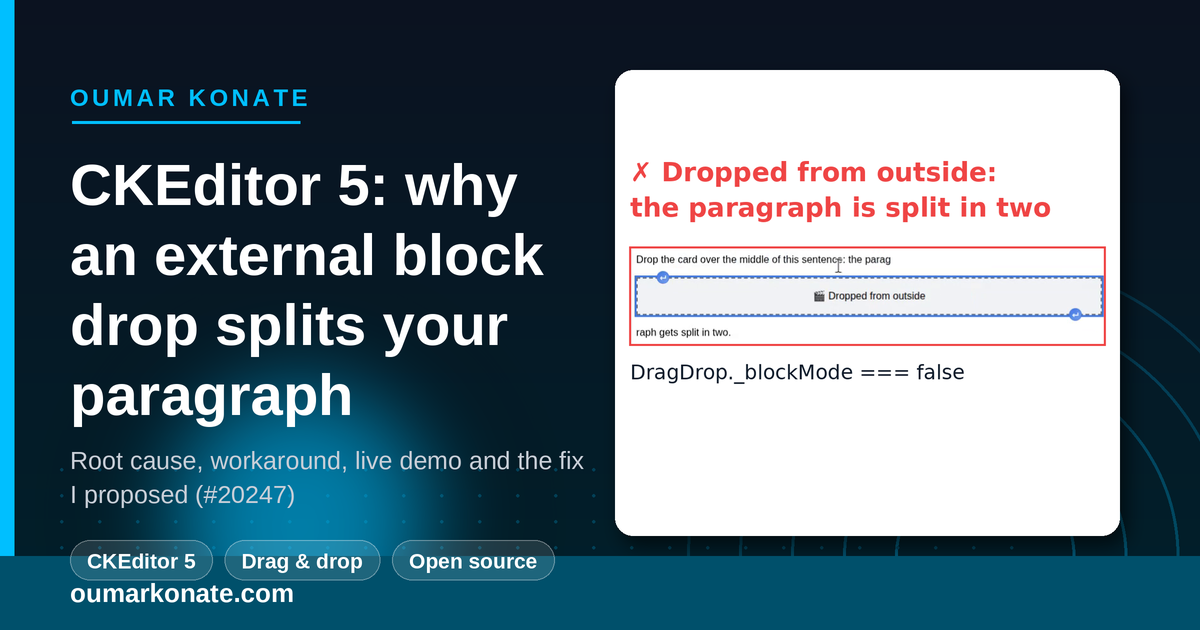
In an application I work on, people drag media into a CKEditor 5 editor from outside the editable area: from a media panel next to the editor, or straight from their file manager. Images, videos, audio files, PDF documents. Each of them is a block object in the schema: it can only live between paragraphs, never inside a line of text. Yet CKEditor shows an inline caret between two words, and on drop it splits the paragraph in two.
I traced it down to a single private flag, wrote a workaround, built a one-click reproduction and opened ckeditor/ckeditor5#20247 with a proposal for a public API. This article walks through all of it.
TL;DR
- Cause:
DragDroppicks inline or block drop resolution from a private flag,_blockMode. It is only computed on adragstartinside the editable, so any drag that starts outside the editor keeps it atfalse. - Effect: a wrong indicator (inline caret instead of the horizontal block line) and a wrong insertion (the hovered paragraph is split).
- Workaround: force
_blockMode = truefrom listeners registered ahead of the native ones. It works on v47.3.0 but relies on a private field. - Upstream: issue #20247 proposes deriving the mode from the schema on drop, plus a public hook for hover.
See it in 27 seconds
The recording below comes from the live demo. First the internal widget is dragged, which shows the correct block indicator. Then the orange card is dragged from outside without the workaround, which splits the paragraph. Finally the same drag is repeated with the workaround on.
▶ Open the live demo on StackBlitz
The symptom: a caret between two words, then a split paragraph
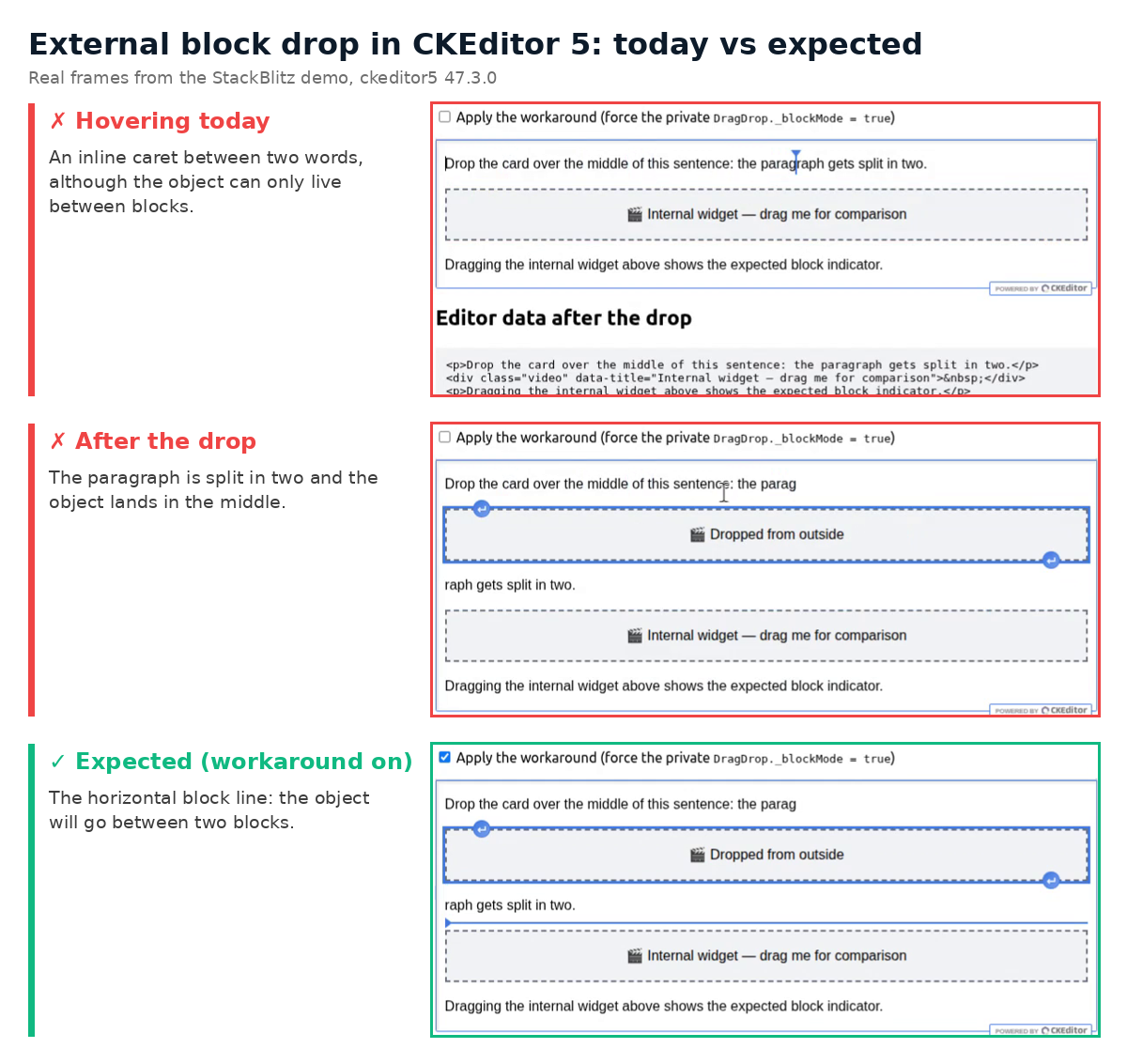
CKEditor 5 has two ways of showing where a drop will land. The inline indicator is a vertical caret between two characters, meant for text. The block indicator is a horizontal line between two blocks, meant for widgets such as images or tables. When you drag an existing block widget inside the editor, you get the block line, as expected.
When the same kind of object comes from outside the editor, you get the inline caret. The drop then resolves to a position inside the text of the hovered paragraph. Inserting a block object there forces the model to break the paragraph: half of the sentence above the object, half below.
The schema already knows this is wrong. A model element registered with inheritAllFrom: '$blockObject' is isObject, isBlock, and allowed where a $block is allowed. It cannot live inside a paragraph’s text:
schema.register( 'video', {
	inheritAllFrom: '$blockObject' // isObject: true, isBlock: true, allowWhere: '$block'
} );
Root cause: the private _blockMode flag
In the clipboard package, the DragDrop plugin keeps a private field, _blockMode, that decides between inline and block drop resolution. That field is written in exactly one place: _prepareDraggedRange(). For a widget, it becomes schema.isBlock( modelElement ). But _prepareDraggedRange() only runs on a dragstart fired inside the editable.
A drag that starts in a side panel or in the operating system never fires dragstart in the editable. So _blockMode keeps its default value, false, and findDropTargetRange() resolves a position inside the text.
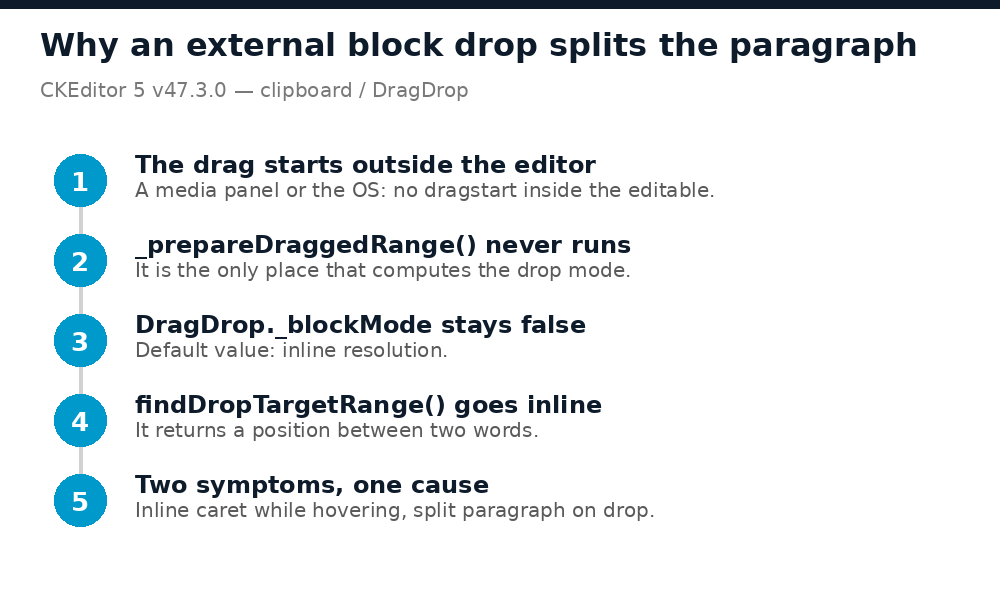
Both symptoms come from that single call:
- Wrong indicator: the drop-target marker converter tests
schema.checkChild( position, '$text' ). The position is inside text, so it draws the inline caret. - Wrong insertion: the same range is used for the drop, so the block object is inserted in the middle of the paragraph, which gets split.
The core is aware of the gap. dragdrop.ts carries these comments right next to the flag:
// TODO handle drag from other editor instance
// TODO configure to use block, inline or both
private _blockMode = false;
...
// TODO block mode for dragging from outside editor? or inline? or both?
Why the core can’t just read the schema while you hover
The obvious fix sounds like “look at what is being dragged, and if it is a block object, use block mode”. During the hover, the browser does not allow it. While a drag is in progress, the DataTransfer object is in protected mode. You can read dataTransfer.types (the list of MIME types), but getData() returns nothing and files is empty. The content only becomes readable on drop.
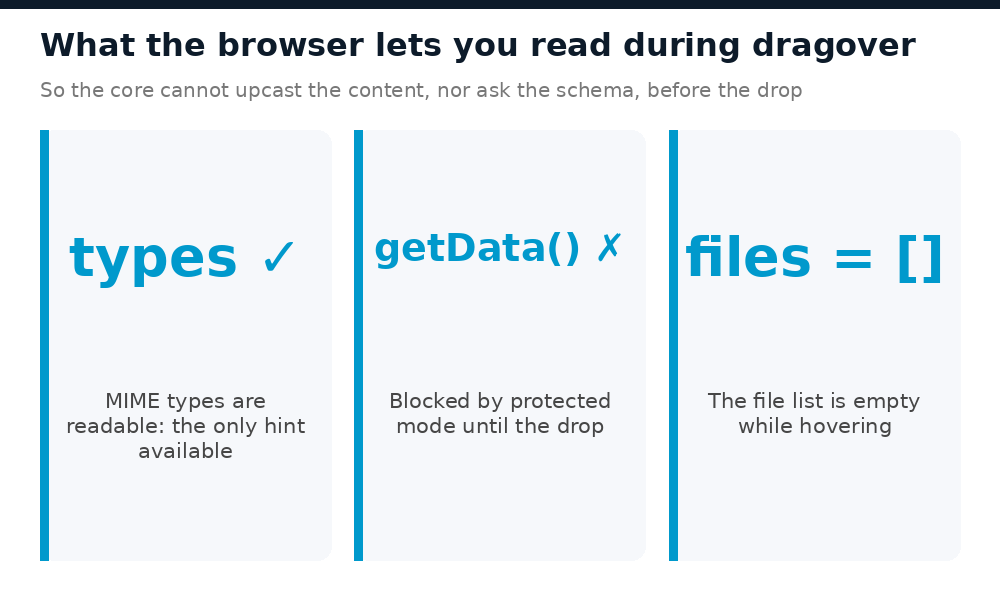
So on dragover, CKEditor cannot upcast the dragged HTML into a model fragment, and cannot ask the schema whether it is a block object. Only the integration knows what it put in the drag, for instance through a custom MIME type that is visible in types.
The workaround, and why it is fragile
There is no public API for this. DragDrop and DragDropTarget are both marked @internal. The clipboard package reads no configuration. DragDropTarget cannot be swapped through config.substitutePlugins either: DragDrop resolves it by its original class, so the editor fails to start. What remains is writing the private field yourself, ahead of the native listeners:
const dragDrop = editor.plugins.get( 'DragDrop' );
const viewDocument = editor.editing.view.document;

function forceBlockMode( evt, data ) {
	// Only 'types' is readable during dragover: mark your own drags with a custom MIME type.
	if ( data.dataTransfer.types.includes( 'application/x-external-block' ) && !dragDrop._blockMode ) {
		dragDrop._blockMode = true;
	}
}

// 'dragging' at 'high': DragDrop reads the flag at 'low', this drives the indicator.
viewDocument.on( 'dragging', forceBlockMode, { priority: 'high' } );
// 'clipboardInput' at 'highest': this drives the final drop range.
viewDocument.on( 'clipboardInput', forceBlockMode, { priority: 'highest' } );
Two rules matter in production:
- Never write
false. An internal drag of a block widget has already set the flag totrue, and resetting it would break the native behaviour. - Release the flag on
dragstart(athighest) and on the globaldragend. Otherwise an abandoned file drag leaves block mode on for the next text drag.
It works on v47.3.0. But everything rests on a private field that any release can rename, which is exactly why a public API is worth asking for.
One nuance about image files dropped from the OS: they show the same wrong indicator, but their position is corrected afterwards by findOptimalPosition: 'auto' in the image upload path. Other upload paths, such as a custom file embed inserted with insertContent(), keep the split.
What I proposed upstream
The proposal in issue #20247 has two complementary parts, because the browser allows different things on hover and on drop.
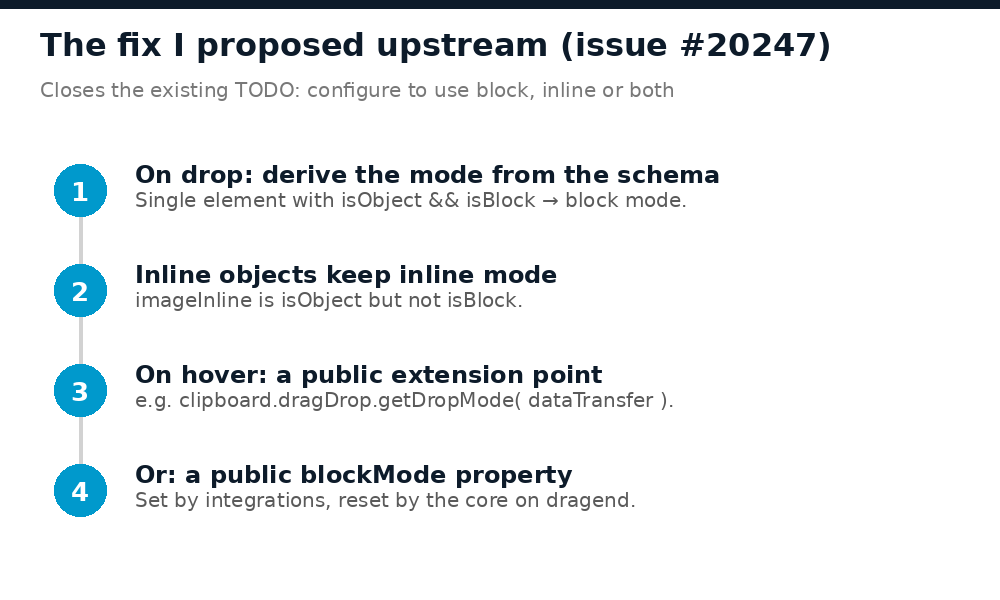
- On drop, derive the mode from the schema. Once the content is readable and converted, a fragment made of a single element for which
schema.isObject( el ) && schema.isBlock( el )is true should be resolved in block mode, as_prepareDraggedRange()already does for internal widgets. This fixes the insertion with no integration code. The rule checksisBlocktoo, so that inline objects such asimageInlinekeep the inline mode. - On hover, a public extension point. Since the content is hidden during
dragover, let integrations declare the mode:
ClassicEditor.create( element, {
	clipboard: {
		dragDrop: {
			// Called on dragover/drop for drags that did not start in this editor.
			// Returns 'block' | 'inline' | undefined (undefined = current behaviour).
			getDropMode: dataTransfer =>
				dataTransfer.types.includes( 'Files' ) ? 'block' : undefined
		}
	}
} );
A public, observable blockMode property on DragDrop, set by integrations and reset by the core on dragend, would work just as well. Either option would close the existing TODO configure to use block, inline or both.
Try the live demo
The StackBlitz demo runs ckeditor5@47.3.0 with Vite. The external card only carries text/html (<div class="video">), which the native clipboard pipeline upcasts to the video block object. There is no custom clipboard code, so the defect comes from the core alone. Reload the preview between tries:
- Leave the checkbox unticked and drag the orange card over the middle of the first sentence. You get a vertical caret, then a split paragraph, visible in Editor data after the drop.
- Tick Apply the workaround and repeat. You get the horizontal blue line, and the object lands before or after the paragraph, which stays intact.
- Drag the grey internal widget by its handle over the middle of the sentence. You get the block line without ticking anything: that is the reference behaviour.
I tested it by hand on Linux, in Chromium and Firefox, with the same result in both.
How I built a reproducible issue
Maintainers of large projects triage many issues. The ones that move are the ones they can confirm in a few seconds. Here is what I did, and what I would do again:
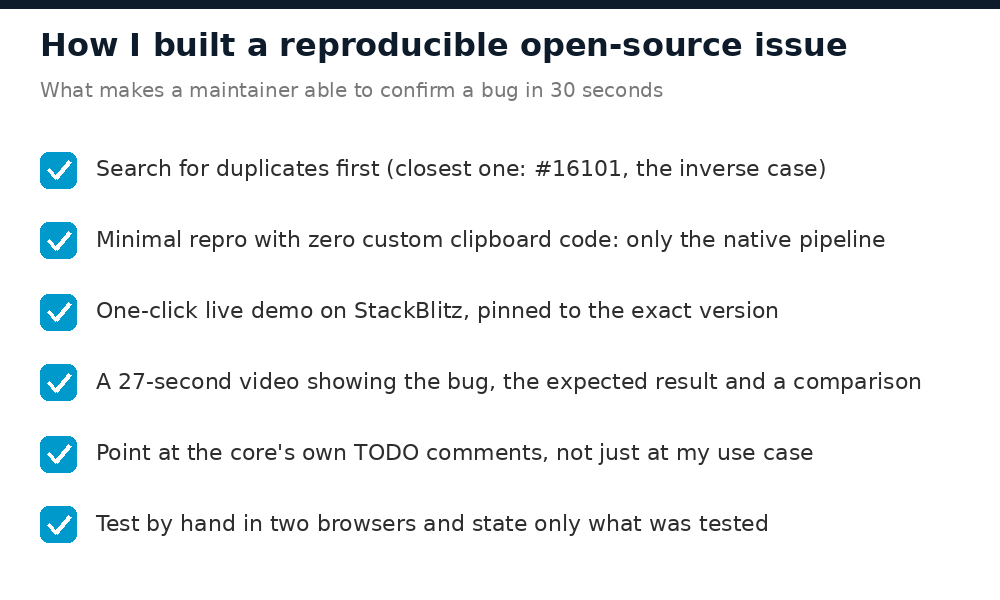
- Search for duplicates first. The closest one, #16101 (closed), is the inverse case: an inline object that cannot be dropped into text.
- Remove every line of your own code from the repro. My real integration has custom clipboard handling. The demo has none: plain
text/htmland the native upcast. Nobody can blame the integration. - Make it one click. I generated the StackBlitz project from a small HTML form that POSTs the five files (
package.json,.stackblitzrc,index.html,main.js,style.css) tostackblitz.com/run, then forked it to get a stable URL. The version is pinned to the exact release I measured. - Record a short video. Twenty-seven seconds showing the bug, the expected result and the internal widget for comparison. On GitHub you can drag the file straight into the issue body before submitting: it is uploaded at once and becomes an inline player. No need to post a comment first to get a link.
- Quote the core’s own TODOs. They show the request continues something the maintainers already planned, rather than a need specific to one integration.
- Anticipate the first objection. “Just read the schema on hover” is impossible because of protected mode, so the proposal says so upfront and splits into drop and hover parts.
- State only what you tested. Chromium and Firefox on Linux: yes. macOS: not tested, so not claimed.
Frequently asked questions
Why does my paragraph split when I drop a widget into CKEditor 5 from outside the editor?
Because DragDrop._blockMode is only set on a dragstart inside the editable. A drag that starts outside keeps it at false, so findDropTargetRange() resolves a position inside the text, and inserting a block object there splits the paragraph.
Does the bug affect images dropped from the file system?
Partly. The indicator is wrong (an inline caret), but the image upload path corrects the final position with findOptimalPosition: 'auto'. Custom file embeds inserted with insertContent() keep the split.
Which CKEditor 5 versions are affected?
I measured it on ckeditor5 47.3.0, the version pinned in the demo. The _blockMode logic and its TODO comments are the reason, so any version with that logic behaves the same way.
Is there an official fix?
Not yet. The request is open as issue #20247. Adding a 👍 reaction there is the best way to signal that you need it.
Is the workaround safe to use in production?
It works, provided you never write false and you release the flag on dragstart and dragend. It relies on a private field though, so pin your CKEditor version and re-test the drop after each upgrade.
Wrapping up
One private flag drives both what you see while dragging and where the content lands. For drags that start outside the editor, nothing sets it. The schema has the right answer at drop time, and a small public hook would cover the hover. Until then, the workaround above does the job.
If you hit the same problem, try the live demo and join the discussion on #20247. More CKEditor 5 work on this blog: a tiny plugin that makes simple spaces visible and the MCP server I built to audit a v26 → v47 migration.