
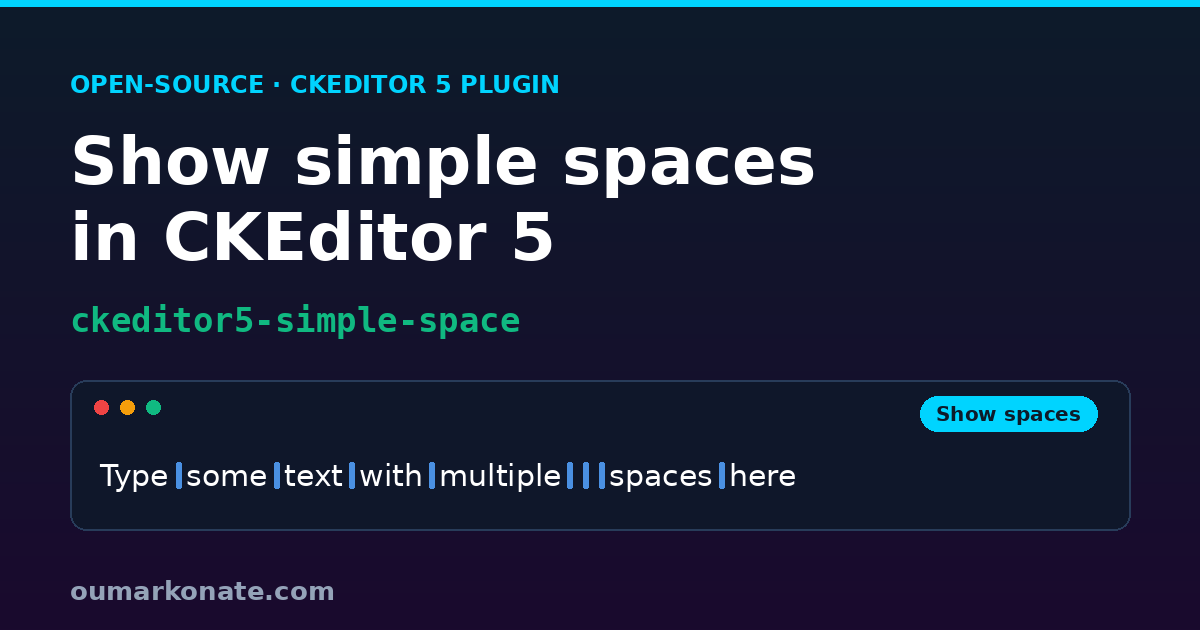
In a rich-text editor, the characters you don’t see are often the ones that cause trouble: a double space between two words, a stray space at the end of a line, the gap that survives a copy-paste from somewhere else. A word processor lets you switch on “formatting marks” to reveal them. CKEditor 5, out of the box, does not.
I ran into this need at work: building a plugin so that editors could see the simple spaces they were typing. The only example I could find was a proof of concept buried in a CKEditor issue that had been open since 2019: ckeditor/ckeditor5#1700. So I built a real plugin around that idea and improved it over time. I released it as open source — ckeditor5-simple-space — so it can serve the community.
Live demo — toggle “Show spaces” in action:
The request that sat open since 2019
Issue #1700 asks for one thing: make whitespace visible in the editor. The thread’s author posted a neat proof of concept — an editingDowncast converter that swaps spaces for a styled dot — and explicitly framed it as “a solid base to start from”. And there it stayed: a snippet, not a feature. No command, no toolbar button, no packaging, nothing you could npm install.
That PoC got one crucial thing right, though, and I kept it: the decoration must live only in the editing view, never in the data. That single decision is what makes this kind of plugin safe to ship.
From a work need to a real plugin
What I wanted was not a snippet but a feature: a one-click toggle in the toolbar, content data that stays byte-for-byte identical, no runtime dependencies, and compatibility with the modern CKEditor 5 (v47.3+, the flat ckeditor5 package). I started from the converter idea and grew it, run after run, into something tested and reusable.
Editing view only: your data stays clean
The core is a single editing downcast converter on insert:$text. For each text node it splits the text on spaces, re-inserts the words, and wraps every simple space in its own <simple-space> view element. Because this happens only in the editing pipeline, editor.getData() returns plain HTML with no added markup, and copy-paste is unaffected.
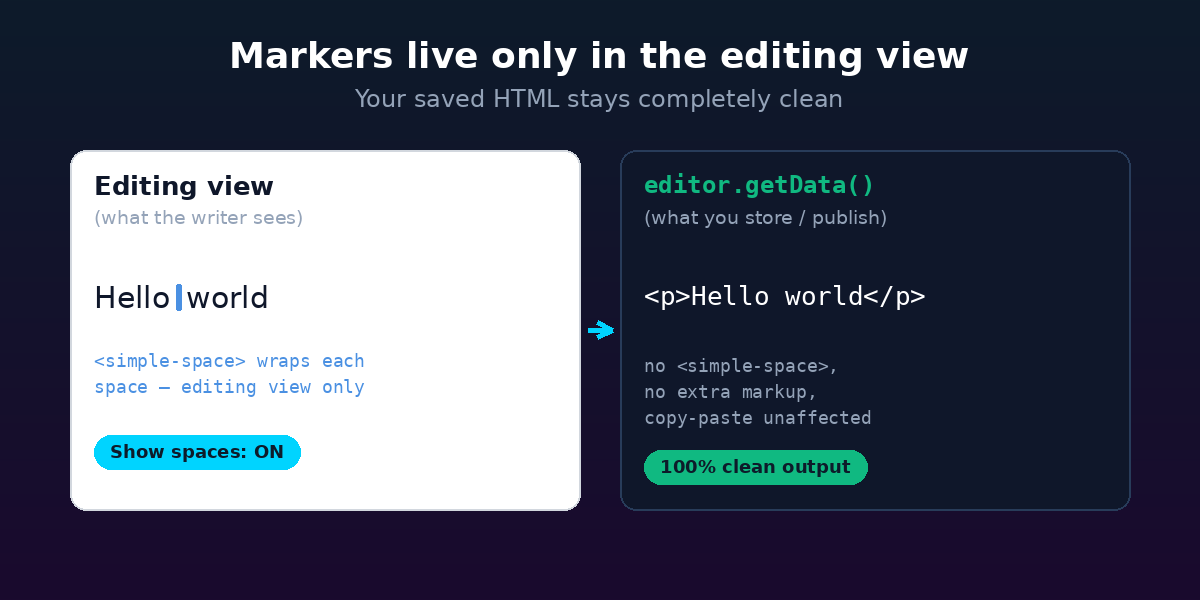
This is the property I care about most: a writer sees the markers, but whatever you store, publish or diff later is exactly the HTML you’d have without the plugin.
One marker per simple space
Consecutive spaces are the tricky case. If you wrap them naively, CKEditor merges adjacent attribute elements into one, and “foo bar” ends up with a single marker instead of two. The fix is to give each wrapper a unique id so they never merge — which the original PoC did with a uuid dependency. I replaced that with a plain internal counter, so the plugin ships with zero runtime dependencies.
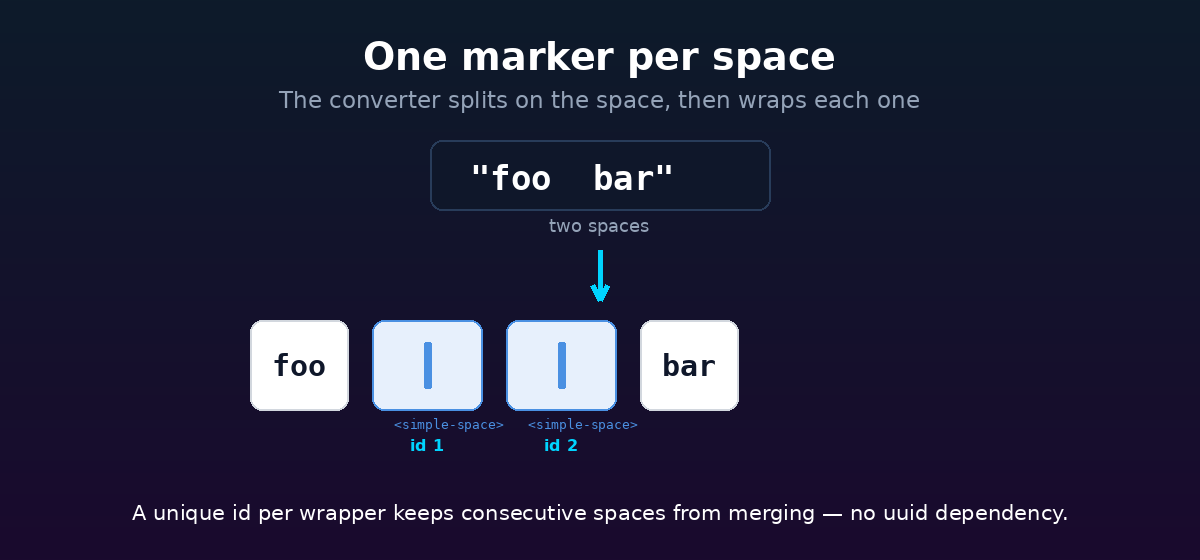
// editing downcast only — getData() is never touched
const chunks = data.item.data.split( ' ' );
// ...re-insert each word, then wrap every space:
const wrapper = writer.createAttributeElement(
    'simple-space',
    { class: 'ck-simple-space' },
    { id: spaceId++ } // unique id => consecutive spaces don't merge
);
A real toggle, not external CSS
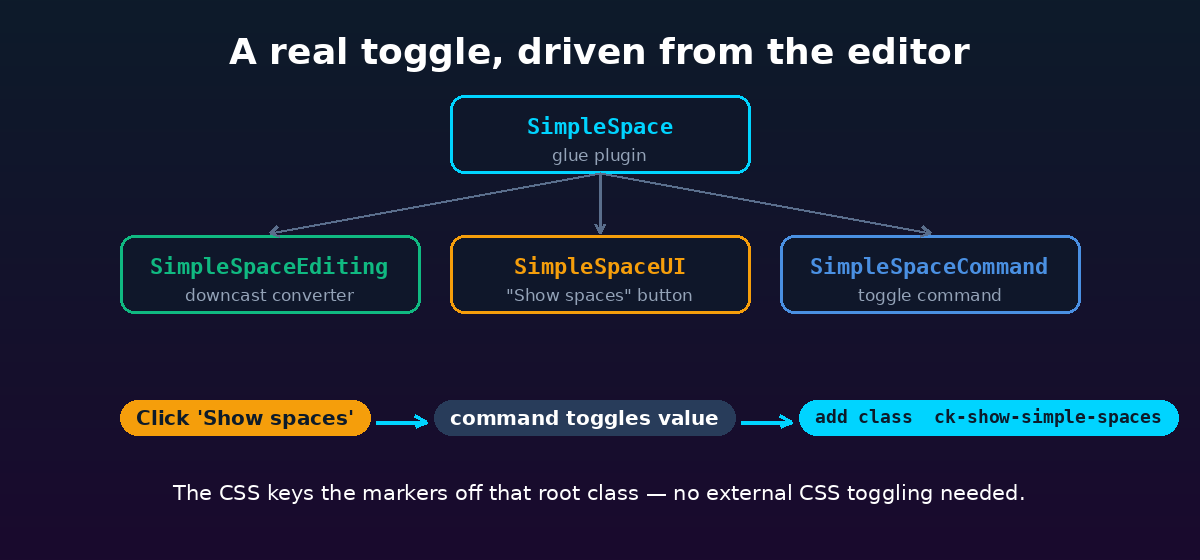
Visibility is driven from inside the editor. A simpleSpace command backs a toggleable “Show spaces” toolbar button; toggling it adds or removes a ck-show-simple-spaces class on the editing root. The stylesheet keys the markers off that class, so the whole feature is self-contained — no external CSS plumbing, and it keeps working in read-only mode since it only changes how content is displayed.
The marker itself is just a small blue bar drawn in CSS, absolutely centered over the space so it shows at any line height without shifting the text:
.ck-show-simple-spaces simple-space::after {
    content: '';
    position: absolute;
    width: 4px;
    height: 9px;
    /* a small blue bar, centered over the space */
}
Mentions stay intact
One subtlety: if you use the official mentions plugin, a mention like “@John Doe” must stay a single, indivisible unit. So the converter skips any text that carries the mention attribute — the spaces inside a mention are deliberately left undecorated, and the mention is never split apart.
Tested, demoable — and a licensing gotcha
The plugin ships with 14 Jest unit tests covering the converter, the command and the UI button, plus a runnable demo (npm run sample) bundled with Vite. Building that demo taught me a CKEditor 5 licensing detail worth sharing: the free licenseKey: 'GPL' is rejected on the CDN (the “cloud” channel) and on the long-term-support line (v47 LTS, which expects a commercial key). For an open-source demo you need a non-LTS, self-hosted build — so the demo pins ckeditor5@^48. The plugin code itself stays compatible with v47.3+, whichever license line you’re on.
Frequently asked questions
Does ckeditor5-simple-space change the saved HTML?
No. The space markers exist only in the editing view — they are never serialized to data. editor.getData() returns exactly the same HTML you would get without the plugin.
Which CKEditor 5 versions are supported?
Any version ≥ 47.3.0 that uses the unified ckeditor5 package. The plugin peer-declares "ckeditor5": ">=47.3.0". The bundled demo uses v48 (a non-LTS release) so the free licenseKey: 'GPL' is accepted out of the box.
Does the plugin work alongside the CKEditor 5 Mentions plugin?
Yes. The downcast converter detects any text node that carries the mention attribute and deliberately skips it, so mention tokens are never split or decorated.
How do I install ckeditor5-simple-space?
Run npm install ckeditor5-simple-space, add SimpleSpace to your editor’s plugins array, put 'simpleSpace' in the toolbar, and import the companion stylesheet ckeditor5-simple-space/theme/simplespace.css.
Is ckeditor5-simple-space free and open source?
Yes. The plugin is released under the MIT licence and published on npm and GitHub.
Try it
Installation is one line, and the marker stylesheet is a separate import:
npm install ckeditor5-simple-spaceAdd SimpleSpace to your editor’s plugins, drop 'simpleSpace' in the toolbar, import ckeditor5-simple-space/theme/simplespace.css, and you get a “Show spaces” button that reveals every simple space — while your saved data stays pristine.
The code is open and feedback is welcome: github.com/oumarkonate/ckeditor5-simple-space. Full credit to the original proof of concept by @scofalik in issue #1700 — a seven-year-old request that finally has a tiny, ready-to-use answer.